Step 1- Open Tokma
“Now let’s look at how to update your profile and manage your account on Tokma.”
Step 2- Go to profile
“First, open the app and tap Profile from the bottom navigation bar.”
Step 3- Profile overview
“Here you’ll see your account overview, including your basic information and quick access to account options.”
Step 4- Open Settings
“Tap Settings to manage everything in one place.”
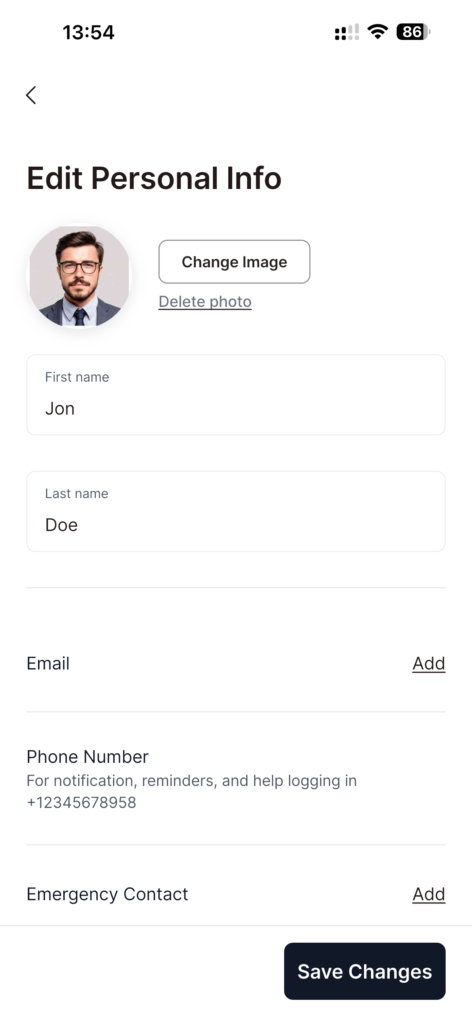
Step 5- Edit basic info
“From here, you can edit and update your basic details—like your name, contact information, and other profile settings.”
Step 6- Manage payment methods
“You can also manage payment methods—add or update your cards and choose how you prefer to pay.”
Step 7- Wishlist
“Right below payment methods, you can view your wishlist items as well.”
Step 8- More account options
“Scroll down to access more features like your referral code and other account pages.”
Step 9- Terms & Privacy
“And if you ever need them, you can review Tokma’s Terms of Service and Privacy Policy right here.”
Step 10- Logout
“And when you’re done, you can also log out from the bottom of the settings page.”
Step 11- Wrap
“That’s it—Profile is where you control your account, payments, and preferences, all in one place.”