Step 1- Open Provider App
Open Provider App
Step 2- — Go to Packages
“Open the app, then tap Packages from the bottom navigation bar. This takes you to your packages page.”
Step 3- Create Package
“On this page, tap the Create Package button to start.”
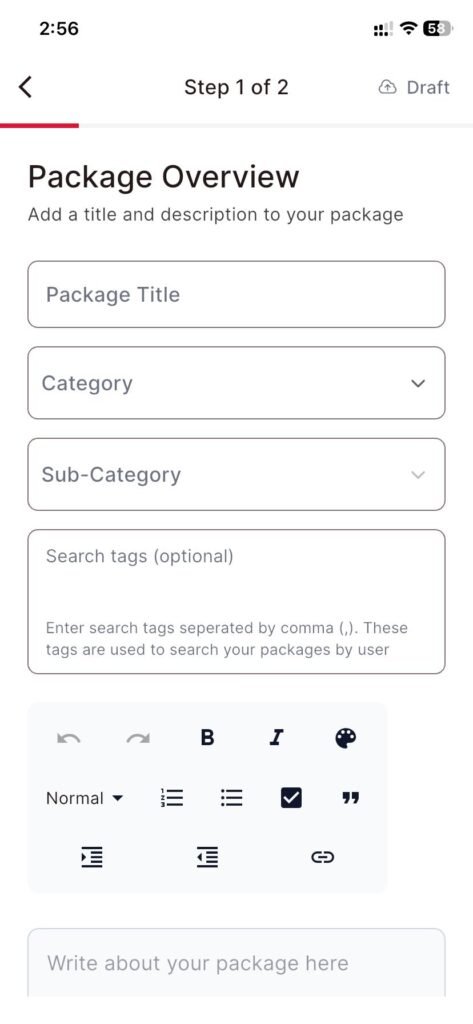
step 4- Fill package details
“You’ll now see the package form. Add your title, description, pricing, timings, and any other required details—so customers clearly understand what you offer.”
Step 5- Upload gallery images
“Next, upload your images to build the package gallery. These photos help users trust your service and see your past work.”
Step 6- — Review & confirm
“After that, review everything—double-check the details, pricing, and images—then confirm.”
Step 7- Publish
“Finally, tap Publish. Your package is now live and visible to Tokma users.”